
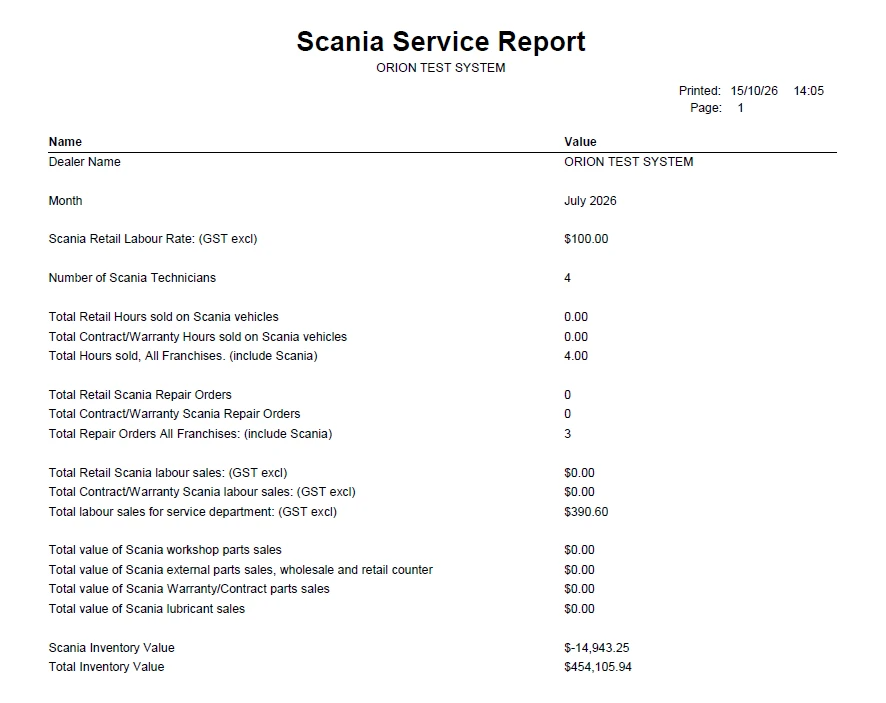
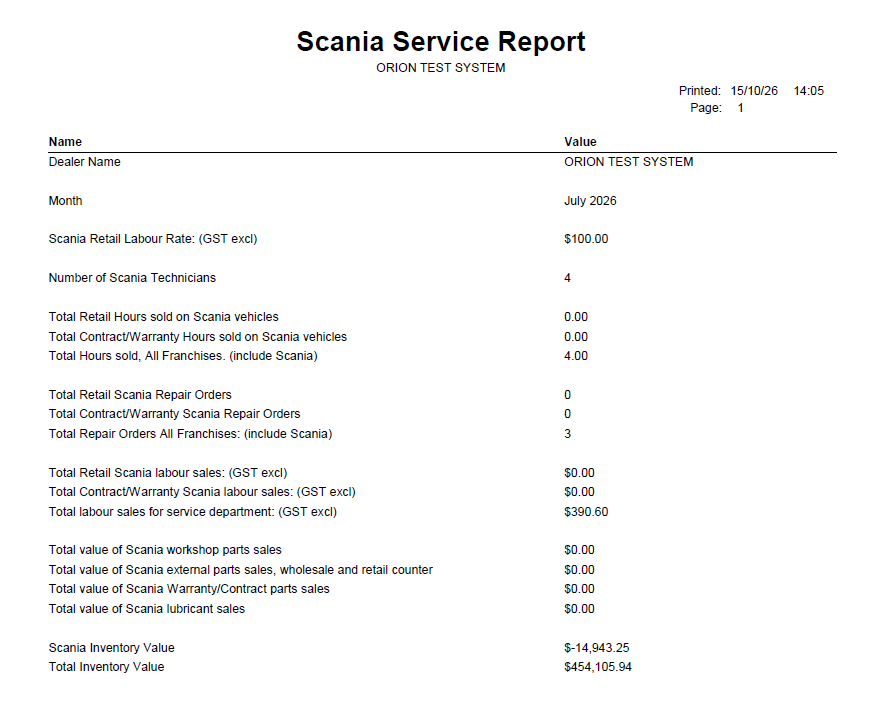
Scania dealers must send Scania a Scania Service Report every month. Previously this was filled in by hand on the Scania spreadsheet (Scania Service Report 2026.xlsx). Orion now produces the report for a selected month from existing workshop, parts and stock data, and can email it.
The report sits under a new Scania addon, which will also hold future Scania integrations. Setup is done once per site inside Orion – no separate utility or consultant configuration.
All money values are GST exclusive.
Activation
- Enable the Scania addon (Addon #147) for the site.
- Confirm Accounts → Reports → Scania Service Report is now available.
Setup
Open Accounts → Reports → Scania Service Report. Complete each tab before the first run. Setup is retained and only needs revisiting when makes, suppliers, customers, rates or analysis groups change.
Prerequisites in Orion
- A Make for Scania exists and Scania vehicles (items) are recorded with that make.
- A Scania Supplier and/or Franchise exists and Scania parts are linked to it.
- Contract / warranty customer accounts exist (e.g. Scania warranty, service contract customers).
- Lubricant parts sit in identifiable analysis groups.
Setup tab
Go to Accounts → Reports → Scania Service Report.
Field | What to enter | Used for |
|---|---|---|
| Dealer Name | Dealer name as Scania knows it | Report header |
| Scania Retail Labour Rate | Standard Scania retail labour rate (GST excl) | Report header |
| Scania Supplier / Franchise | The supplier or franchise Scania parts are linked to (Use one) | Identifies Scania parts and Scania stock |
| Contract / Warranty customer(s) | Customer accounts for Scania warranty, service contracts contracts (Use customer link or analysis group if multiples) | Splits jobs and sales into Retail vs Contract / Warranty |
| Scania Make | Begins with to allow for multiple makes with the similar name | Identifies Scania jobs (vehicle make) |
Labour Rates tab
Link labour rates used for Scania work. Technicians who have one of these rates are counted in Number of Scania Technicians.
Lubricants tab
Select the parts / materials analysis groups that hold lubricants (oils). Scania part sales in these groups are reported as Scania lubricant sales.
Email tab
Enter the email address, subject and body for the report to be emailed. After preview
Running the report
- Go to Accounts → Reports → Scania Service Report.
- Enter the Period as MM/YYYY (e.g. 10/2026). Run after month-end close so all jobs and parts invoices for the month are invoiced.
- Run / preview the report and check the figures.
- Print, or use the Email prompt (on closing) to send it to Scania.
Counting rules
- Only invoiced jobs and sales dated in the selected month are counted. Open / WIP jobs are excluded.
- Credits in the month reduce the values but not the counts.
- Scania job = job on a vehicle whose make is one of the Scania makes on the Setup tab.
- Scania part = part linked to the Scania supplier / franchise on the Setup tab.
- Retail = charged to any customer other than a Contract / Warranty customer.
- Contract / Warranty = charged to a customer listed on the Setup tab.
- Internal jobs are excluded.
- All Franchises lines include every make (Scania and non-Scania).
- Hours are shown in decimal (1:10 = 1.17). Orion enquiries show h:mm.